How we built the AI Visibility Inspector, our free page scanner
ChatGPT, Claude, and Perplexity read your raw HTML. They do not run JavaScript, and many sites show them almost nothing. We kept explaining this in audits, so we built a scanner anyone can point at a page: paste a URL, see exactly what the machines get. This is the system behind it.
Published July 2026 by Balázs Turán, Creative Data Engineers.
→Two fetches per scan: the raw HTML the way GPTBot reads it, and a JavaScript render for comparison. The gap between the two is the story.
→An honest free snapshot: AI-readiness grade, share-card preview, issue list, and the full meta-tag table, all open. The Schema.org report opens with an email; the complete scan lands in the inbox after a one-click confirm.
→Deterministic by design. The scan is rules against page-type expectations, so the same page always gets the same grade.
Why we built it
The most useful audit finding fits on one screen
Every AI Search Visibility audit we run starts with the same reveal: what the AI crawler receives is a different page from the one you see in your browser. Meta tags missing, schema absent, or a JavaScript shell with no content at all. Showing that gap on one screen convinces faster than any slide deck, so we turned the first mile of the audit into a tool anyone can run.
And yes, openly: the Inspector is also how we meet people. Someone scans a page, sees real gaps, and some of them want the full picture across their whole site. That is the funnel, and we would rather show it than pretend the tool fell from the sky. The free scan has to be genuinely useful on its own, or the whole thing is bait. That constraint shaped most of the decisions below.
The system
From pasted URL to full scan, end to end
Four stages: you drop in a URL, we scan it the way AI crawlers do, you get a free snapshot, and if you want the depth, the full scan comes by email after a one-click confirm. Then you fix, and scan again.
Your moveOur pipelineSignals we read
Hover or focus any box for a plain-language explanation.
Under the hood: the page itself is static HTML with a small script, the scan runs on our rendered-fetch engine behind an edge function, and a spam check plus a daily cap of 5 free scans keep it fair. Every scan stores the URL and its results; your IP address is stored only as an anonymous hash, never raw.
What it looks like
We scanned our own homepage, live
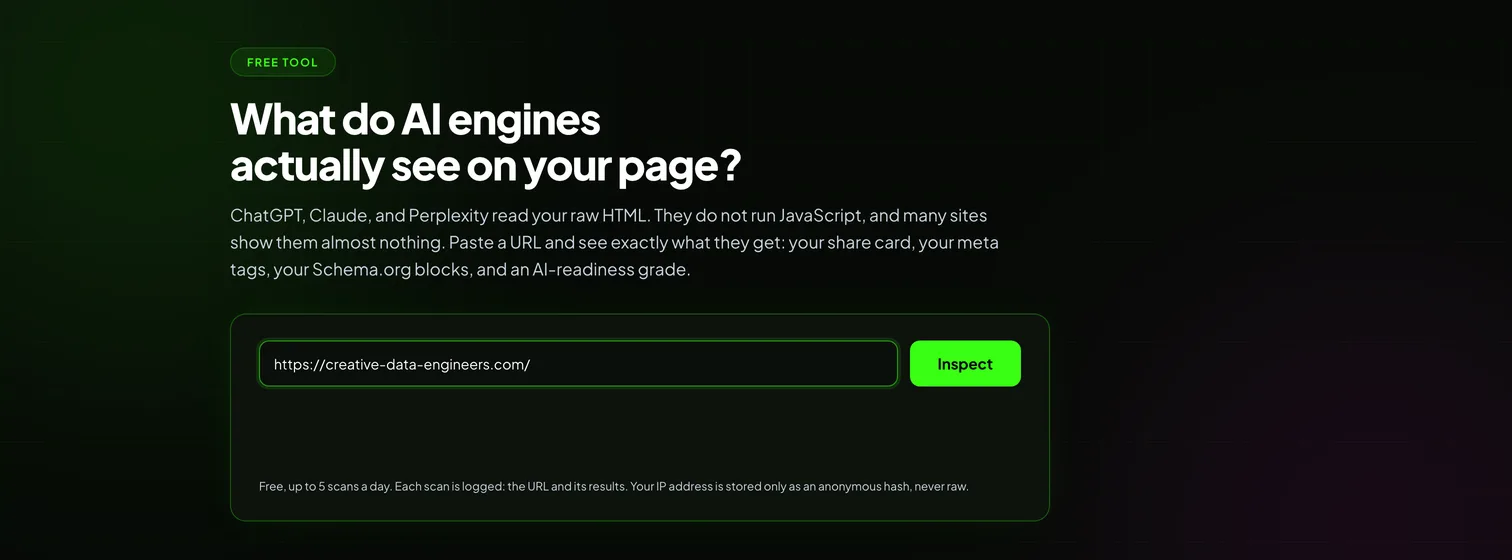
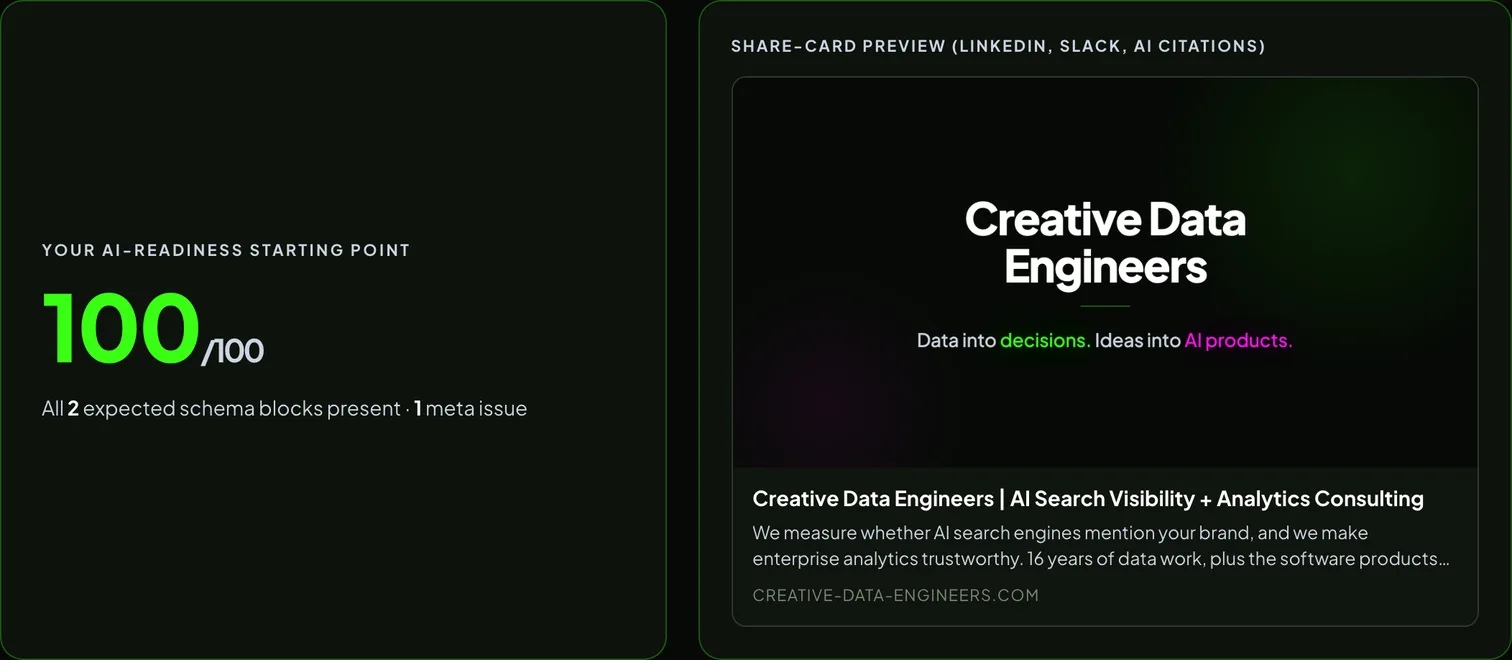
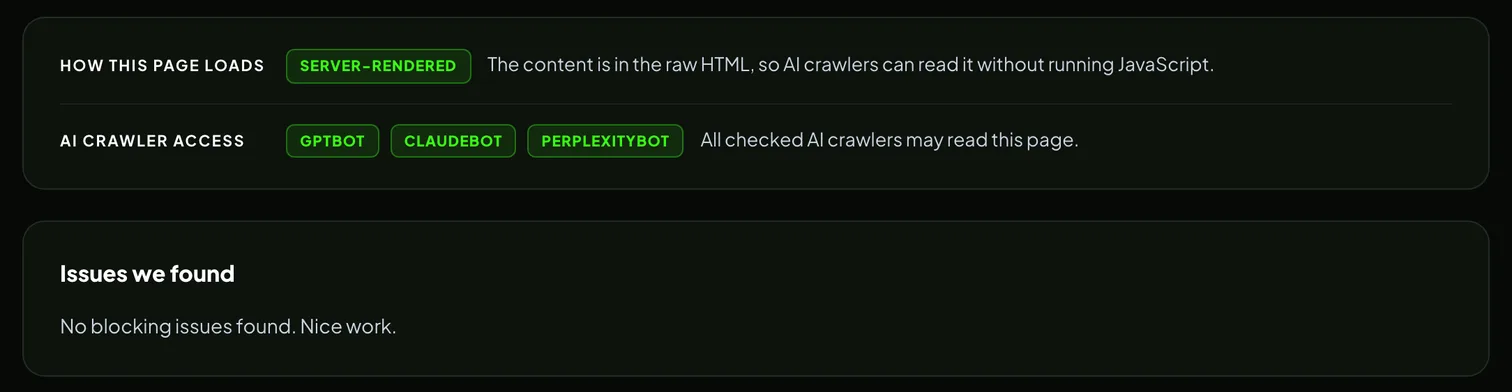
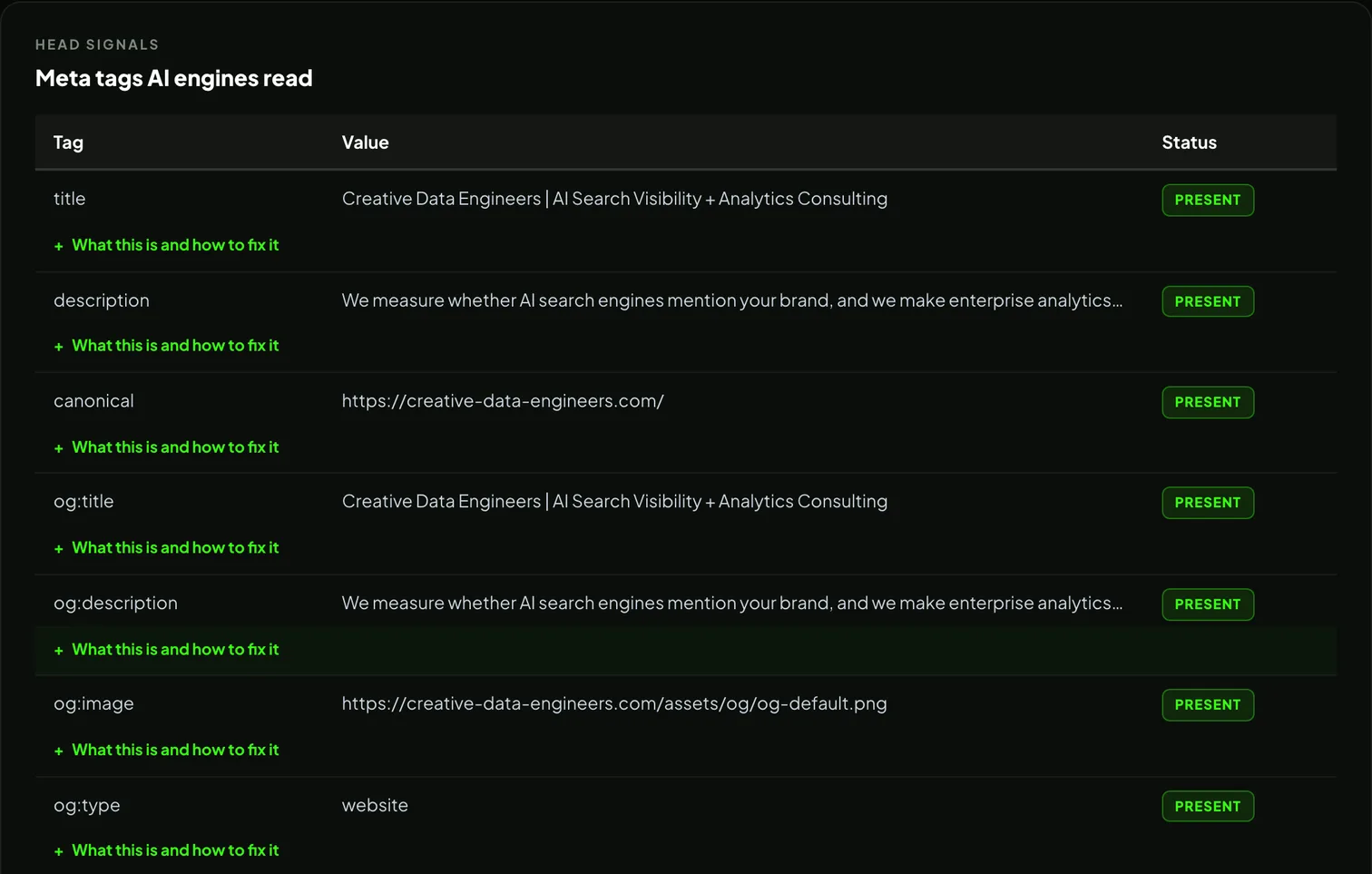
These are real screenshots of the Inspector scanning creative-data-engineers.com, the scan on record from July 2026. We dogfood the tool on our own site, and we publish the result either way: this one came back 100/100 with one meta note left open.
One field, one button. No account. The fine print under the form says out loud what gets logged.The grade and the share card, free. The preview is built from the page's real tags, the same way LinkedIn, Slack, and AI citations build theirs.The two questions that decide everything: is the content in the raw HTML, and are AI crawlers allowed in.The full meta table, open in the free view. Every row expands into a plain what, why, and fix.
What we learned
Three decisions that make it hold up
1
The free tier has to be worth using on its own. The grade, the issue list, and the complete meta table are open with no email. The gate holds back depth (the schema report and the emailed scan), never the verdict. A teaser that hides the answer is bait; a teaser that gives the answer earns the follow-up.
2
Consent is split, and the checkbox starts unticked. An email entered for a scan is consent for that scan and follow-ups about that page. The fortnightly newsletter is a separate choice with its own checkbox, off by default. One address book, two consent scopes, and the sender respects the difference on every send.
3
No AI inside the scan. The grade comes from rules compared against page-type expectations, so the same page always scores the same. A tool that measures your AI readiness should itself be repeatable and auditable; a model guessing a score would be neither.
FAQ
Questions we get about the Inspector
Is the AI Visibility Inspector free?
Yes, up to 5 scans a day. The grade, the share-card preview, the issue list, and the full meta-tag table are open right away. The Schema.org report opens when you enter your email, and the complete scan arrives in your inbox after a one-click confirm.
What does the Inspector actually check?
It fetches your page the way an AI crawler does and reads what is really in the HTML: title, description, canonical, Open Graph and Twitter tags, every Schema.org block, whether AI crawlers are allowed in by robots.txt, and whether the page needs JavaScript to show its content. The result is graded against what AI engines expect for that page type.
Is there AI inside the scan?
No. The scan itself is deterministic: rules compared against page-type expectations. Scan the same page twice and you get the same grade. That keeps every result repeatable and auditable, which matters more for trust than a clever one-off answer.
Why give the scanner away for free?
One page is the first mile of the work we sell. The free scan shows the gap on a single URL; the paid AI Search Visibility audit covers every page of a site and measures whether AI engines actually name the brand when buyers ask generic industry questions. People who find real gaps in the free scan tend to want the full picture.
Try it on your own page
The Inspector is live and free. Paste a URL and see what AI engines read from it in about half a minute. If the gaps run deeper than one page, that is what the full audit is for.
Related builds: the AI-search radar that watches this space for us, and the newsletter system the Inspector's double opt-in plugs into. We also teach operators to build systems like this, hands-on. Balázs runs the build sessions at Agent-J+.